Small Business
AI Appointment Scheduling for Salons: Fill the Chair Without Losing Control
Use ai appointment scheduling for salons to reduce no-shows, route bookings safely, and protect staff calendars before you automate.
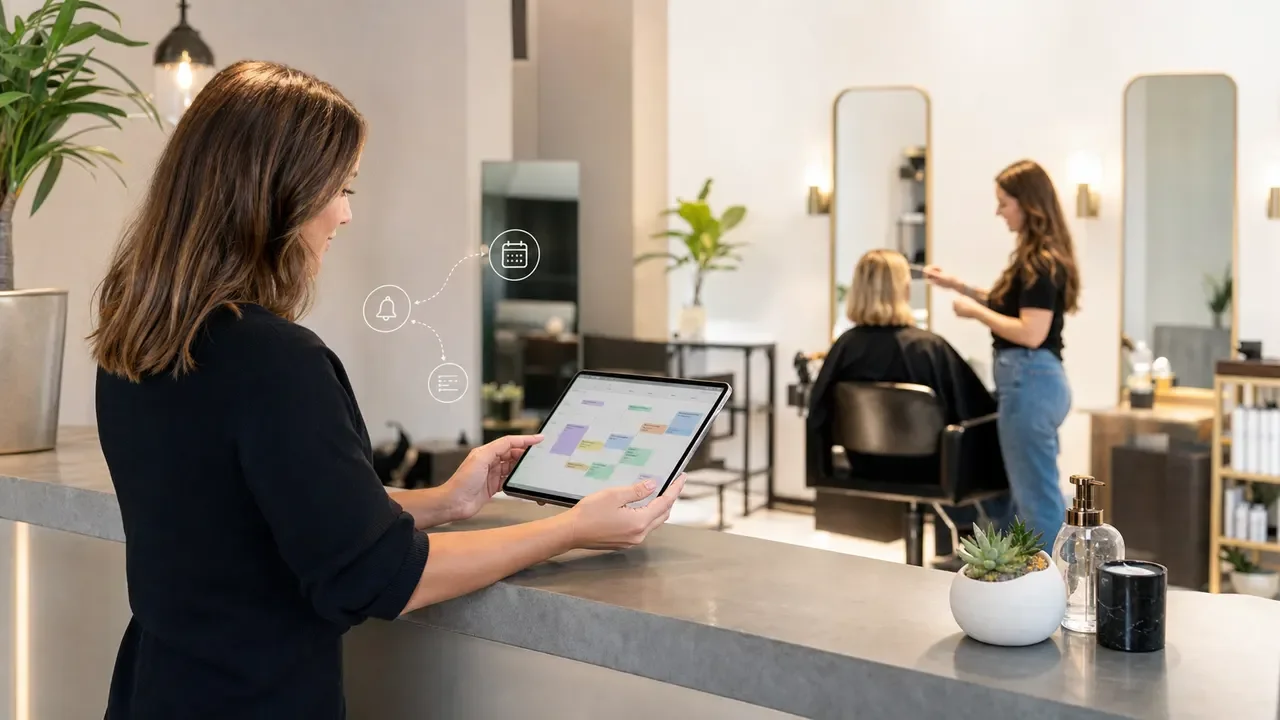
For a busy salon, ai appointment scheduling for salons is not about replacing the front desk. It is about letting software handle the repetitive booking work, while your team keeps control over services, staff judgment, and client relationships.
Start with one goal: fewer missed calls, fewer calendar mistakes, and fewer no-shows. A good setup should feel boring in the best way, because the rules are clear before the automation ever talks to a client.
| What you see | Likely cause | First move |
|---|---|---|
| Clients book the wrong service length | Vague menu names or no intake questions | Split services by time, add short booking questions, and require approval for edge cases |
| Stylists get double-booked | Calendar sync is checking only one calendar | Audit every staff calendar, blocked time, and room/resource calendar before launch |
| No-shows stay high | Reminders exist, but deposits and cancellation rules are weak | Add deposits or card-on-file rules for high-risk appointments |
| Front desk still handles every reschedule | The automation cannot offer safe alternatives | Create reschedule windows, buffer rules, and a staff review lane |
What Salon Scheduling AI Should Actually Do
Useful scheduling automation starts with intake, not magic. The system should ask what the client needs, match that request to the right service duration, check staff availability, send a confirmation, and remind the client before the visit.
Salon work has constraints that generic appointment tools often miss. A haircut, gloss, balayage, extension consultation, skin service, and bridal trial do not have the same timing risk. Treat your booking menu like an operations document, not a marketing page.
The Booking Rules That Matter Most
Build rules around the services that create the most calendar damage. Color corrections, first-time color clients, bridal parties, extensions, and long spa treatments deserve stricter intake than a simple trim.
Set appointment lengths by reality, not hope. Add cleanup time, consultation time, processing time, and checkout time where they belong. That extra buffer may feel expensive on paper, but it is cheaper than a rushed stylist and a disappointed client.
Calendar tools can help here. Google Calendar appointment schedules let a business set availability and create a booking page, while some advanced options depend on the account type. Square Appointments includes salon-friendly features such as online booking, staff calendars, deposits, waitlists, and reminders, but plan limits and payment fees need to be checked before you commit.
Where to Put the Human Review Lane
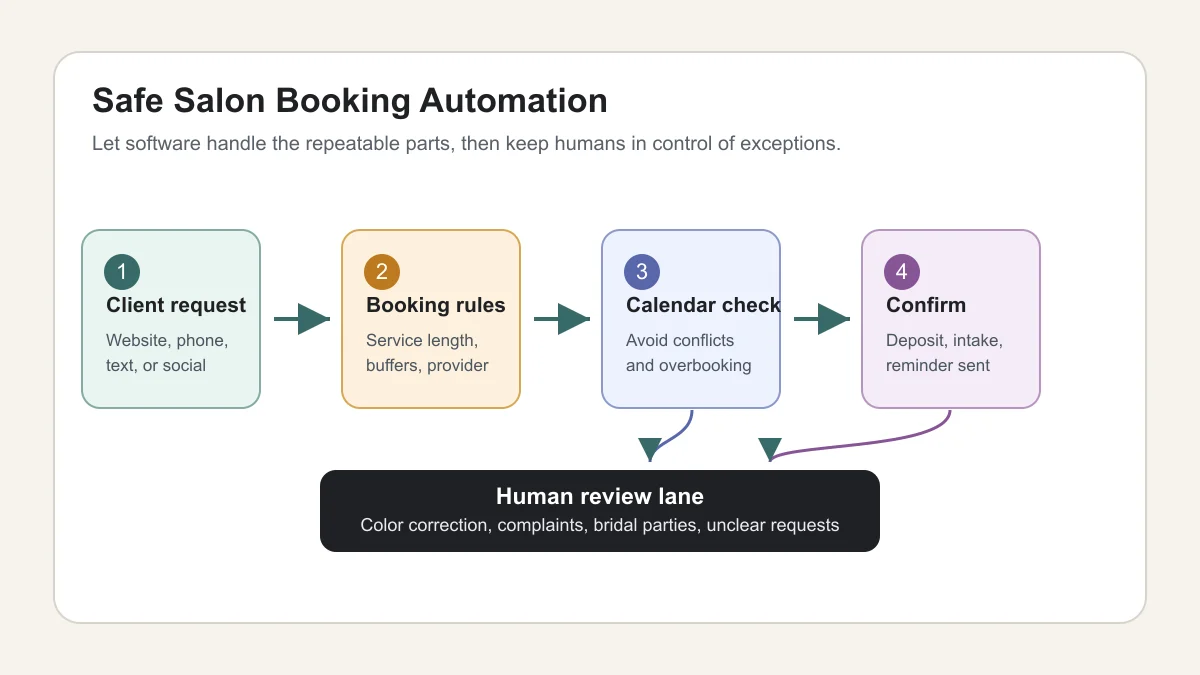
Give the automation a clear stopping point. If a client mentions box dye, a refund, a complaint, bridal timing, a medical concern, or a major service change, the system should collect the request and route it to staff.
That review lane protects the client and the schedule. It also keeps your team from pretending every booking can be solved by a form.
Online Booking, Phone Calls, and Texts Need Different Rules
Website booking works well for clear services: blowouts, trims, brow appointments, consultations, simple spa treatments, and recurring maintenance. Phone and text automation is better for missed calls, after-hours requests, rescheduling, and reminders.
Voice agents deserve extra caution. If you already use an AI receptionist for small business, connect it to a narrow booking workflow first. Let it collect the client name, desired service, preferred time, and urgency before it confirms anything complicated.
Website chat should be narrower still. A local salon chatbot can answer hours, parking, policies, and basic service questions, but complex booking should flow into your calendar rules or staff queue. The same guardrails in an AI chatbot for local business website apply here.
How to Choose the Right Tool Stack
Pick the tool by workflow, not by the loudest AI claim. If you need payments, deposits, staff calendars, and booking widgets in one place, a salon appointment platform may be simpler than stitching tools together.
If your salon already runs on Google Workspace, a lightweight Google Calendar booking page can work for consultations or simple solo-provider services. For multi-chair salons, you will usually need stronger staff controls, service menus, reminders, deposits, waitlists, and reporting.
For custom workflows, compare no-code builders carefully. Our Make vs Zapier for small business guide is useful when you need calendar events, CRM updates, forms, texts, and email follow-up to move together. A broader no-code AI automation for small business stack can work, but only if someone owns the rules.
Connect Scheduling to the Rest of the Salon Operation
Appointment scheduling should not sit alone. Once a booking is confirmed, the client record, reminder sequence, deposit status, and follow-up workflow should update without someone typing the same information twice.
That is where adjacent automations matter. A salon with strong AI CRM automation for small business can tag new clients, mark service interests, and prompt rebooking follow-up. If you invoice for deposits, bridal packages, or retail bundles, AI invoice automation for small business can reduce manual billing mistakes.
Follow-up is the overlooked piece. A client who asks about color, waits two days, and never books is a warm lead. Borrow the same thinking from AI lead follow up automation: reply quickly, keep the message useful, and stop before it feels pushy.
Implementation Plan for a Salon Owner
Keep the first version small. Automate five to ten bookable services, one reminder sequence, one deposit rule, and one exception queue. Then watch the calendar for two weeks before expanding.
- Clean the service menu. Merge duplicate services, rename confusing items, and set realistic durations.
- Map staff rules. Decide who can take each service, which rooms or chairs are needed, and where buffers belong.
- Write exception rules. List the bookings that require a human before confirmation.
- Test fake bookings. Try late cancellations, long services, short-notice requests, and multi-staff appointments.
- Launch quietly. Put the booking link on one channel first, then add it to the website, email signature, and social profiles.
Need a bigger operating model? Read AI appointment scheduling for small business before connecting the salon workflow to broader AI workflow automation for small business.
Common Mistakes That Create Calendar Chaos
Most scheduling problems are rule problems. The software only exposes them faster.
- Too many service choices: Clients guess, and the calendar absorbs the mistake.
- No buffer time: Staff run late before the day even starts.
- No deposit policy: High-value appointment slots stay vulnerable to no-shows.
- No exception queue: Complex services get confirmed before anyone checks the details.
- No staff feedback loop: The front desk sees the failure, but nobody updates the automation.
Salons are not alone here. Contractors, service companies, and support teams hit the same handoff problem, which is why guides like AI workflow automation for contractors and AI customer service automation for small business focus so much on escalation rules.
Quick Checklist
- Choose the first five to ten services that are safe for instant booking.
- Set service durations from real appointment history, not ideal timing.
- Add buffer time for cleanup, consultation, processing, and checkout.
- Require staff review for color corrections, bridal work, complaints, and unclear requests.
- Test calendar sync for every stylist, room, chair, and blocked time rule.
- Use deposits or card-on-file rules for appointments that are costly to lose.
- Review no-shows, wrong-service bookings, and staff complaints every week after launch.
Bottom Line
Salon scheduling automation works best when it is practical, narrow, and connected to the way your team already runs the day. Start with clean booking rules, protect the exception lane, and then expand into reminders, CRM updates, email workflows, and tool comparisons when the calendar is stable.
For broader buying decisions, compare your setup against best AI automation tools for small business, AI email automation for small business, and AI voice agents for small business. The right stack should reduce desk work without making your salon feel less personal.
Frequently Asked Questions
what is the best ai appointment scheduling for salons?
The best option depends on your salon size. Solo providers can often start with a simple booking page, while multi-staff salons usually need service menus, staff calendars, deposits, waitlists, reminders, and reporting in one system.
can ai book salon appointments by phone?
Yes, but keep the phone workflow narrow at first. Let the AI collect client details, desired service, and preferred times, then confirm only simple appointments that match your rules.
how do salons reduce no shows with scheduling software?
Use reminders, deposits, cancellation windows, and card-on-file rules for high-value appointments. The bigger win is matching the policy to the service risk.
should a salon use google calendar for online booking?
Google Calendar appointment schedules can work for consultations, solo providers, or simple services. A larger salon usually needs deeper staff, payment, and client-management features.
how much setup does salon booking automation need?
Plan on cleaning the service menu, staff rules, calendar sync, reminders, deposit policy, and exception queue before launch. The software setup is the easy part; the rules take the work.
Official sources: Create an appointment schedule · Set up online booking with Square Appointments. Check current program pages before applying.