AI Automation
AI Automation for Cleaning Business: Jobs, Routes, Quotes, and Follow-Up
Use ai automation for cleaning business workflows like job intake, routing, quotes, reminders, invoices, and customer follow-up.
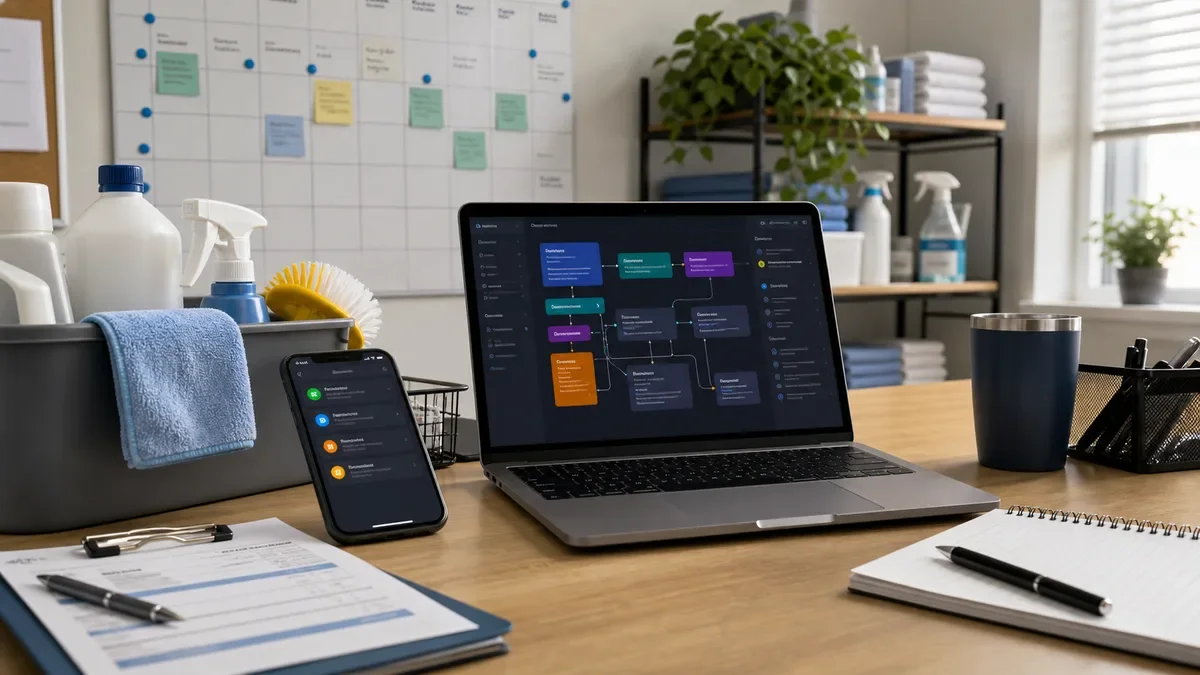
AI automation for cleaning business operations can remove a surprising amount of admin from a small team. The best starting points are job intake, quote prep, route reminders, crew checklists, invoice notes, and customer follow-up.
The goal is not to let AI run the company. AI automation for cleaning business workflows should organize the work so the owner or manager can approve pricing, handle complaints, and protect service quality.
Use this guide as a practical map for residential cleaners, office cleaning teams, move-out cleaners, and specialty cleaning services that need smoother operations without a complicated software project.
| What you see | Likely cause | First move |
|---|---|---|
| Calls interrupt cleaning crews | Intake is not structured | Use form and phone summaries |
| Routes waste time | Jobs are scheduled without location logic | Group jobs by zone and duration |
| Quotes miss add-ons | Scope checklist is too vague | Standardize rooms, extras, and photos |
| Reviews are inconsistent | Follow-up is manual | Trigger post-job messages and issue checks |
Start with job intake and scope
Cleaning jobs get messy when the first request is vague. Ask for property type, rooms, square footage range, pets, access notes, photos, preferred date, recurring or one-time service, and any specialty tasks.
AI can summarize the request, flag missing details, and prepare a draft quote checklist. That is the same foundation used in customer intake automation.
Keep the quote decision human-reviewed. AI can organize, but the business owner should confirm special surfaces, deep-clean extras, and high-risk requests.
Use routing and reminders to protect crew time
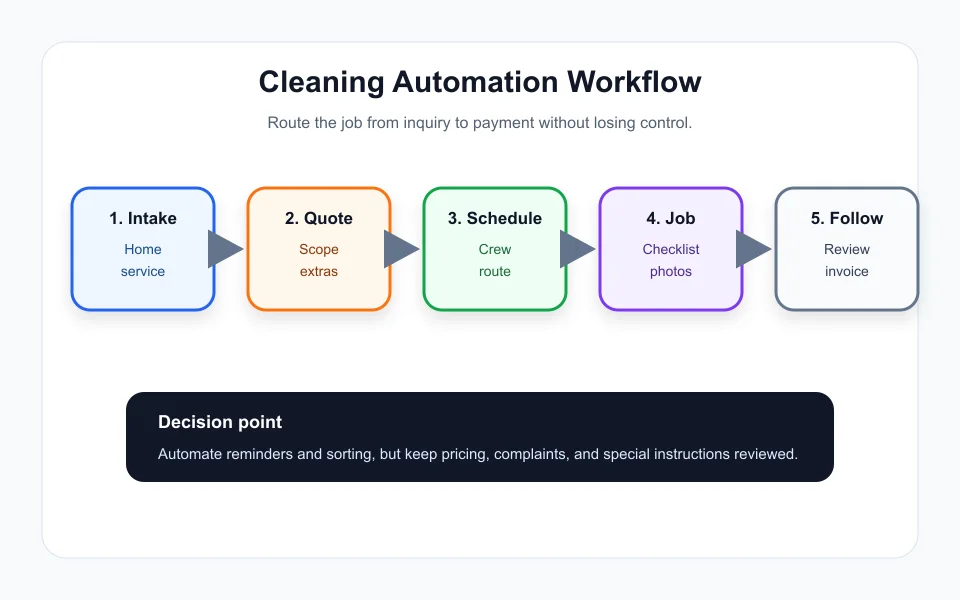
Scheduling is one of the highest-return automation areas. A simple system can group jobs by zone, add travel buffers, remind customers before arrival, and warn the team when a day is overbooked.
AI automation for cleaning business scheduling should not create a route blindly. It should propose route notes and surface conflicts, then a manager confirms the final plan.
If your business already sells service packages, the quoting logic is similar to proposal automation: define scope, exclusions, price assumptions, and approval rules.
Turn checklists into proof, not busywork
Crew checklists should be short, job-specific, and useful. AI can convert the booked service into a room checklist, supply reminder, and before-after photo prompt.
The useful output is not a giant document. It is a clear crew note that says what matters today: entry code, fragile surfaces, pet instruction, special add-on, and customer priority.
Store final notes with the invoice or job record. That connects nicely with document automation when you need repeatable records.
Automate follow-up without sounding cold
After the job, AI can draft a thank-you message, review request, issue check, recurring-service offer, or invoice note. Use different messages for happy customers, first-time customers, recurring clients, and complaints.
AI automation for cleaning business follow-up should pause when the customer reports a problem. Complaints need owner attention, not a cheerful template.
Appointment logic from AI appointment scheduling also applies here: reminders reduce no-shows, but clear human escalation keeps trust.
Measure the work saved
Track response time, quote completion rate, route efficiency, missed details, complaint rate, repeat bookings, and review requests sent. These numbers reveal whether automation is helping.
If you run several local service brands, compare the lead-handling ideas with AI automation for real estate agents. The industries differ, but the same intake, routing, and review principles apply.
If the team saves time but quality drops, the workflow is too aggressive. Add approval gates around pricing, complaints, special instructions, and high-value clients.
The best ai automation for cleaning business setup feels quiet. Customers get faster answers, crews get clearer jobs, and the owner sees fewer scattered messages.
Quick Checklist
- Use ai automation for cleaning business intake before advanced tools.
- Capture rooms, service type, photos, access, pets, and add-ons.
- Route jobs by zone, duration, and crew capacity.
- Keep quote pricing and complaints human-reviewed.
- Use short job-specific crew checklists.
- Trigger review requests and recurring-service follow-up.
- Measure response time, repeat bookings, and complaint rate.
Bottom Line
AI automation for cleaning business workflows works best when it handles intake, routing, reminders, checklists, and follow-up while people keep control of pricing, service exceptions, and customer trust.
Frequently Asked Questions
What can a cleaning business automate with AI?
A cleaning business can automate intake summaries, quote prep, route reminders, crew checklists, invoice notes, review requests, and recurring-service follow-up.
Should AI quote cleaning jobs automatically?
AI can prepare a draft quote checklist, but the owner or manager should confirm pricing, special surfaces, and high-risk requests.
What is the first automation to build?
Start with job intake because clean source details make scheduling, quoting, and follow-up easier.
Can AI help cleaning crews?
Yes, AI can turn service details into short room checklists, supply reminders, and photo prompts.
How do I know if automation is working?
Track response time, quote completion, route efficiency, complaint rate, repeat bookings, and review requests sent.
Official sources: OpenAI tools documentation · Microsoft Power Automate approvals documentation. Check current program pages before applying.